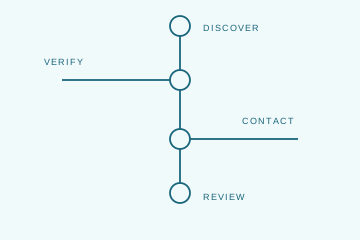
Good deal alert criteria describe the business you want to buy, not just its industry. State the activity, geography, size and the measure behind it, your funding, and who will run the company. Split hard limits from preferences. Then log why you reject each match, and rewrite the criteria when the same reason keeps coming up.
Describe the business, not the sector
"Healthcare" matches clinics, software vendors, and staffing firms. "Recurring equipment maintenance for outpatient facilities" matches the business you actually want and screens out the rest.
Name the size measure every time. Revenue, EBITDA, and seller's discretionary earnings (SDE) are different numbers. A range with no label gets matched against whichever one a listing happens to show.
Add the deal-breakers. Suppose you cannot run a business that depends on the owner's personal license. Put that in the criteria, so the first person who reads a match can ask about it.
Mark what is fixed and what is flexible
Most criteria mix hard limits and preferences without saying which is which. Separate them. A smaller company might work if it adds a service your platform lacks. A bigger one might need capital you do not have.
Write the reason next to each exception. The add-on target guide shows how to tie an exception to a specific operating need.
A match with no EBITDA figure is not a reject. It is a question. Ask it, and keep "missing information" separate from "failed criteria" in your log.
Know how each source picks your matches
Sources pick deals in different ways, so the same criteria perform differently. BizBuySell's email alerts check new listings against a saved search each day, so they depend on the fields you fill in. Axial sends opportunities based on your preferences and on which buyers the sell side chooses. There, how you describe yourself matters as much as your filters.
Before you judge a source, ask three questions. Which size measure does it use? How does it handle geography? How do you edit your preferences? Then read a week of matches. Main-street listing sites and lower middle market networks serve different buyers, and one of them may simply not fit your plan.
Keep one master copy of your criteria
Write the criteria once, date them, and adapt them to each form. When they change, update every source and every advisor on the same day.
Acquisition criteria template
- Business: We buy [services or products] sold to [customers], with [revenue model].
- Geography: Must be in [area]. Would consider [adjacent area] because [reason].
- Size: [Range] of [revenue, EBITDA, or SDE] for [period]. Hard limit or preference?
- Will not consider: [business models, dependencies, or deal terms].
- Funding: [committed capital and its source]; [approvals or raise still needed].
- Operator: [who runs the company]; [control or minority].
Be literal. If management must stay because nobody on your team can run the business, write "management must stay." Do not bury it in a paragraph about your firm.
Log every reject and fix the criteria
Give each rejected match one reason: wrong business, wrong place, wrong size, an operating requirement, or timing. Log "not enough information" on its own. The guide to how buyers screen deals turns that first read into a clear next step.
Read the reject log once a month. If one reason keeps coming up, the wording is wrong, so fix it. Change the criteria when your needs change, not to get more email.
Where PrivSource fits: PrivSource replaced Deal Alerts with Buy-Side Mandates. You publish your criteria to the sell side, and PrivSource matches relevant deals to them. Apply for buy-side access with the template above filled in.