Target List finds off-market companies that fit your acquisition criteria. Add the details you need to prioritize them, get owner contact info, and export a list ready for outreach.
This guide walks you through creating a list, reviewing and refining it, adding company details, and getting contacts.
Step 1: Describe the companies you want
In the left navigation, click AI Target List. Enter your criteria, including industry, location, size, and any exclusions.
For example:
"Independent HVAC service companies in San Diego with revenue over $5M."
You can also attach a document with your criteria. Niche, specific criteria return the best results.
Note: The companies we return fit your criteria. They haven't necessarily said they're for sale.
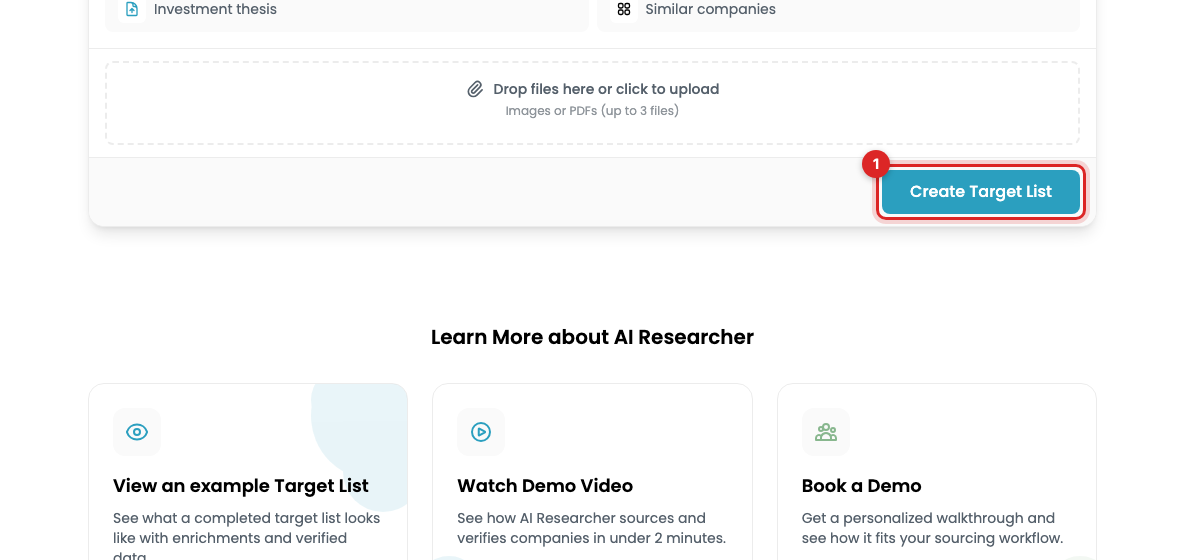
Step 2: Create the list
Click Create Target List. Research runs in the background, so you can leave the page and come back when your results are ready.
Step 3: Review the results
Open a company to read its profile and sources. Check its business model, location, size, and ownership against your criteria.
Note: We prioritize independent companies and filter out private equity-backed companies, publicly traded companies, and majority-owned corporate subsidiaries. If a company isn't independent, its checkmark in that column is left blank.
Step 4: Refine or expand the list
Click Refine Filters to change your criteria. Use this when results are too broad or miss part of your thesis.
To find more companies with the same criteria, click the results count and choose the option to add results. Review the credit estimate before you confirm.
Note: We return 25 results at a time, starting with independent companies that meet all your criteria. When we can't find more that meet every criterion, we still return companies, but leave the checkmark blank for any criterion they miss. Expect fit to drop the further you expand a list.
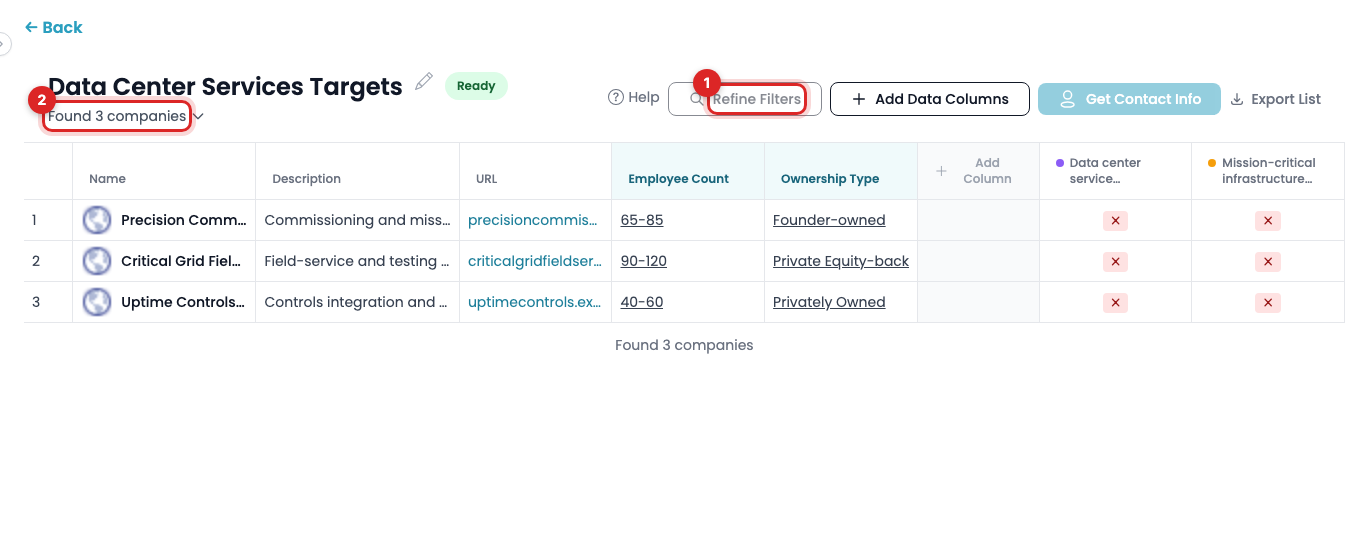
Step 5: Add data columns
Click Add Data Columns. Choose a column from the library or describe your own, such as years in business, estimated revenue, number of employees, or ownership type. We research each company and add the results to your list.
Target List isn't a static database. You can ask for almost any fact about a business, and we'll research it live for every company on your list.
Tip: Add columns like years in business or owner age to spot owners who may be ready to sell.
Note: A blank cell means we couldn't find that information. We leave it blank rather than guess.
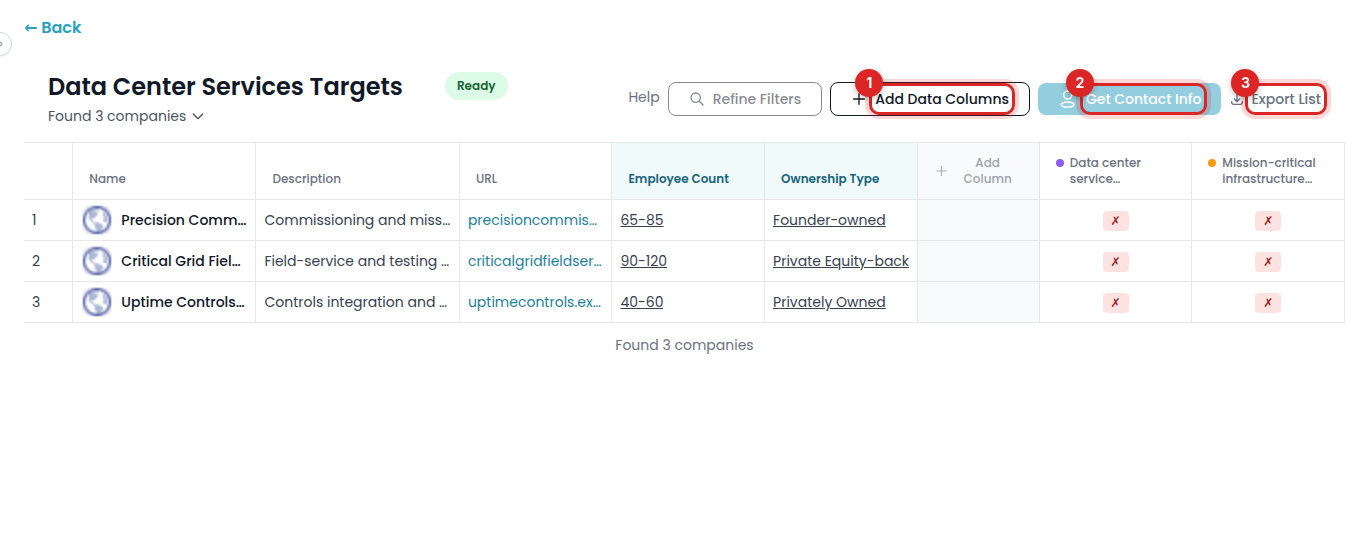
Step 6: Get contact information
Click Get Contact Info. Choose whether you want email addresses only, or email addresses and phone numbers, for each company's owner or CEO. Pick based on your outreach approach. Adding phone numbers uses more credits.
Review the credit estimate, then confirm. We'll also include LinkedIn profiles where available. Contact research usually finishes within 5-10 minutes, and the page shows when contacts are ready.
Step 7: Export your list
Click Export List to download an Excel file with your companies, data columns, and contacts.
Tip: Wait until contact research finishes before you export. If you exported earlier, export again to include the new details.
How credits work
Credits pay for research: building lists, adding results, data columns, and contacts.
-
Free preview: every approved buyer gets 1,000 credits to try Target List.
-
Paid membership: 5,000 credits each month. Credits refresh on your renewal date and don't carry over.
Check your balance under Credits before you start a new request. Need more? Contact support@privsource.com for pricing.