Once our Deal Team approves your deal, we match it to buyers on PrivSource whose live mandates fit, and email you when your matches are ready. You see every match first, then decide who gets the deal: share it broadly, or hand-pick each buyer for a tighter process.
This guide walks you through reviewing your matches, sharing your deal, and messaging interested buyers.
Step 1: Review your matches
In the left navigation, click Deals.
Click View Deal on the deal you're working.
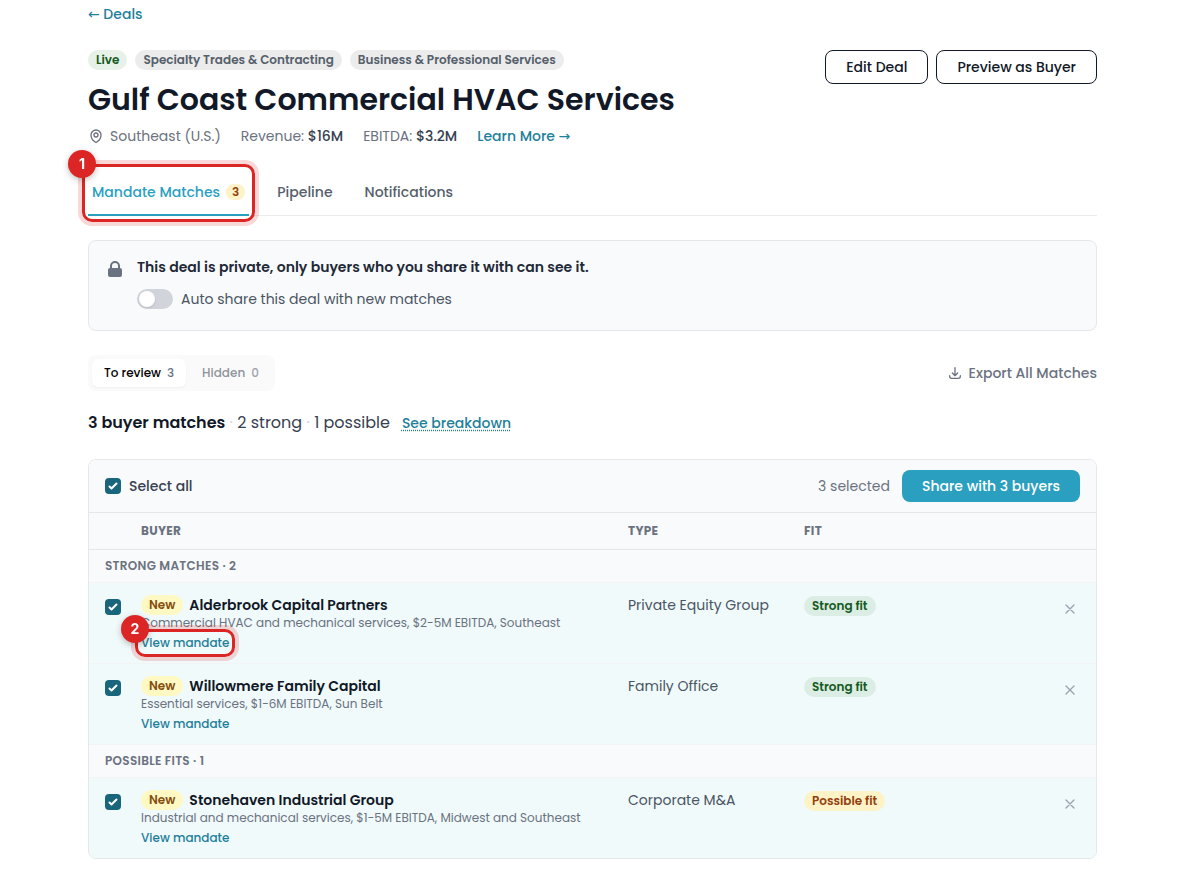
You'll see every buyer matched to your deal. Strong fits appear at the top, possible fits further down, and newly matched buyers are highlighted.
Note: Every buyer on PrivSource is vetted by our team for experience.
Step 2: Share your deal
Choose the approach that works for your process.
Option A: Share with all matches
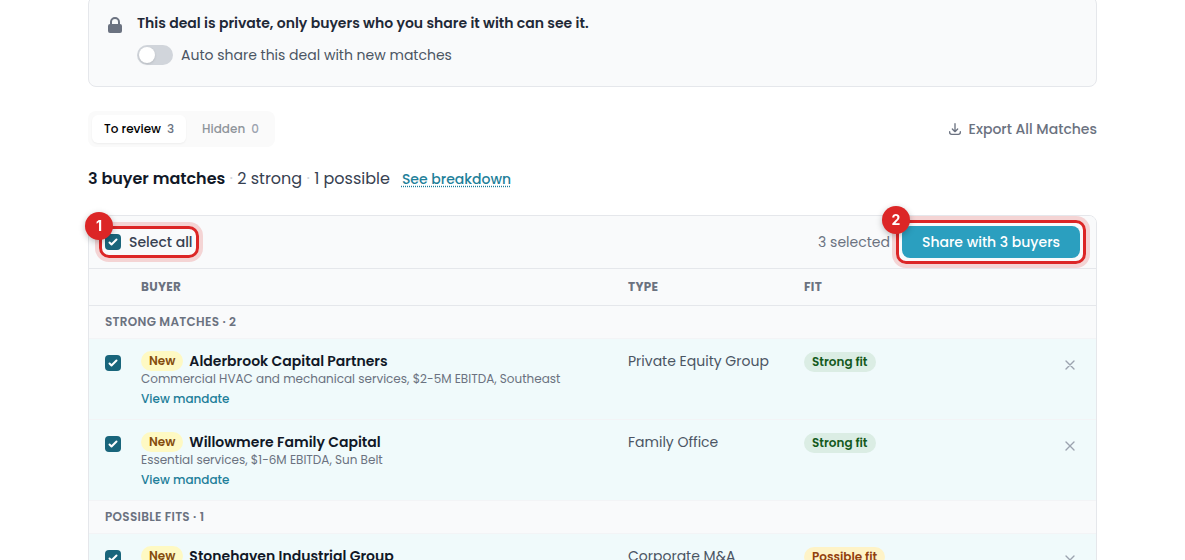
Make sure the Select all box is checked.
Click Share with buyers.
Option B: Hand-pick buyers
For a tighter process, decide on each buyer individually. Each row shows the buyer's name, type, and mandate description.
To learn more about a buyer, click View mandate. You'll see why they fit your deal, along with their full mandate.
To share with a buyer, check the box next to their name.
To pass on a buyer, or if you're already in contact with them, click the X on the far right.
Once you've made a decision on each buyer, click Share with buyers.
Step 3: Handle new matches
As new buyers match your deal, we'll email you so you can decide whether they should see it.
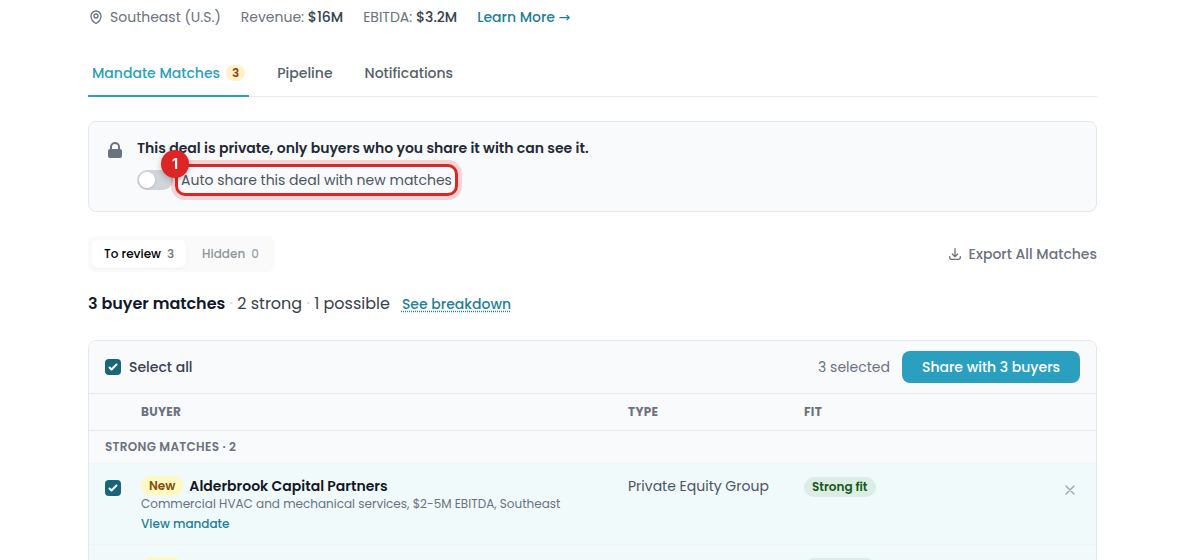
💡 Tip: Want to skip the review? Turn on the Auto-share toggle at the top of the deal page, and we'll share your deal with new matches automatically.
Messaging interested buyers
Once you share your deal, buyers can indicate interest and send you a message. Their messages go straight to the email address on your PrivSource account.
If an interested buyer hasn't reached out yet, you can message them first:
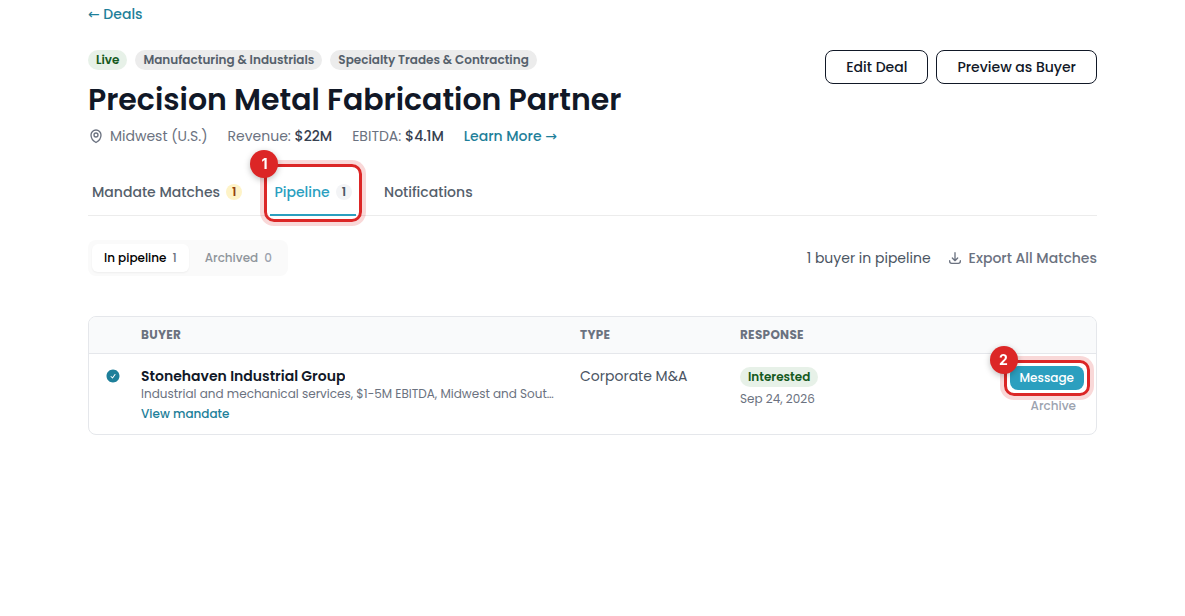
On the deal page, click Pipeline at the top.
You'll see every buyer you've shared the deal with, including which ones indicated interest.
Click Message to write to a buyer directly.
Your message is sent to the buyer by email, and their reply lands in your inbox.
Note: You can't message buyers who passed on your deal.